
What “Secure Backup” Actually Means
Most businesses think they have backups.
And technically, they’re right.
There’s data being copied somewhere—maybe to the cloud, maybe to a local device, maybe both. Reports show “successful.” No alerts. No obvious issues.
But here’s the problem:
Having a backup is not the same as being able to recover.
And that difference usually doesn’t show up until it matters most.
Statistics on Back up:
- Up to 60% of backups fail when a full recovery is attempted
- Only ~35% of businesses test their backups regularly
- Over 90% of ransomware attacks attempt to target backups
- Nearly 70% of organizations hit by ransomware had backups—but still struggled to recover
- Average cost of downtime ranges from $5,000 to $9,000 per minute (SMB to enterprise spread)
- 93% of companies that lose data for 10+ days file for bankruptcy within a year
- Only 54% of businesses can recover within their expected timeframes
The Backup That Worked—Until It Didn’t
We’ve seen this play out more than once.
A company gets hit with ransomware. Systems lock up, files are encrypted, operations stop. It’s stressful—but there’s some confidence because backups are in place.
Then the restore starts.
And that’s when things fall apart.
- The most recent backup is corrupted
- The backup doesn’t include critical systems
- Recovery takes far longer than expected
- Or worse—the backup itself was compromised
What looked like a safety net turns into a delay. And delays cost money, time, and trust.
This isn’t rare. It’s what happens when backups exist—but aren’t built for recovery.
What “Secure Backup” Actually Means
Secure backup isn’t about where your data lives. It’s about whether your business can get back up and running quickly, reliably, and completely.
That requires more than just copying files.
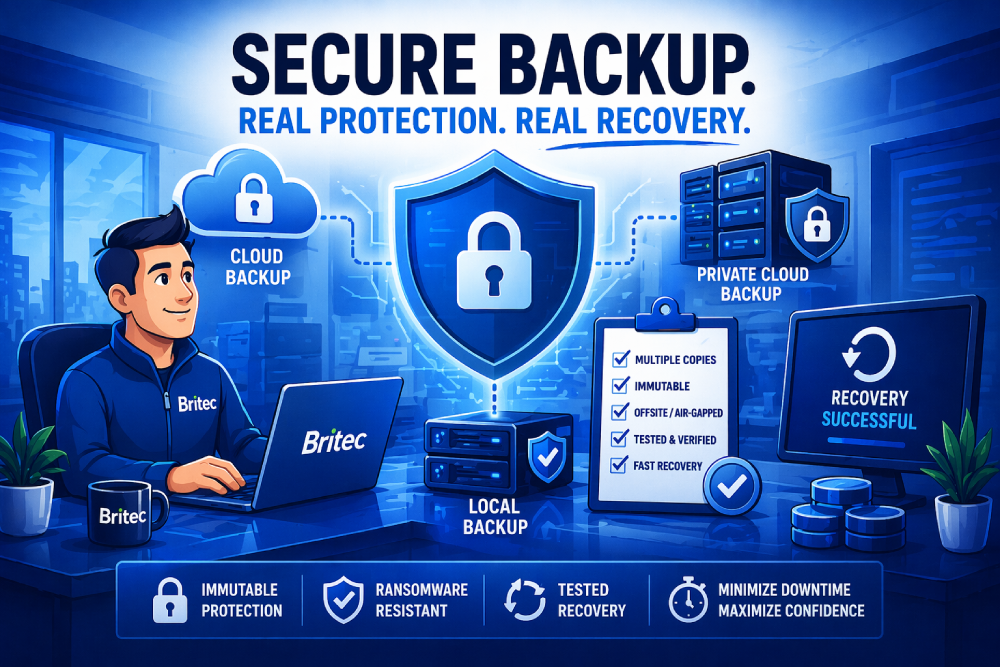
1. Multiple Layers (Not Just One Copy)
A single backup location is a single point of failure.
Secure environments use a mix of:
- Local backups for fast recovery
- Cloud backups for redundancy
- Offsite or private cloud environments for protection against physical and cyber risks
This creates resilience. If one layer fails, another is ready.
2. Protection Against Tampering (Immutable Backups)
Modern attacks don’t just target your systems—they target your backups too.
That’s where immutable backups come in.
These are backups that cannot be altered, deleted, or encrypted, even if an attacker gains access. They act as a locked version of your data—untouchable when everything else is at risk.
3. Separation (Air-Gapped or Isolated Storage)
If your backup is connected to your network, it can be reached.
Secure backup strategies include air-gapped or logically isolated storage, meaning there’s a separation between your production environment and your backup data.
It’s not just stored—it’s protected from spread.
4. Defined Recovery Expectations (RTO & RPO)
This is where most businesses lose clarity.
- RTO (Recovery Time Objective): How quickly can you be back up?
- RPO (Recovery Point Objective): How much data can you afford to lose?
Without defining these, you’re guessing during a crisis.
Secure backup means aligning your backup strategy with business reality—not assumptions.
5. Testing (The Step Most Skip)
This is the biggest gap.
Backups are often set up once and assumed to work forever.
But unless they’re tested regularly:
- You don’t know if they’re complete
- You don’t know how long recovery takes
- You don’t know what’s missing
If you haven’t tested your backup, you don’t have one.
Why This Matters (Especially for Leadership)
From a technical perspective, backups are infrastructure.
From a business perspective, they’re risk management.
Downtime isn’t just an IT issue. It affects:
- Revenue
- Operations
- Customer trust
- Compliance and reporting
And in many cases, the cost isn’t the breach—it’s the inability to recover quickly.
That’s where secure backup earns its value.
What You Can Do
You don’t need to overhaul everything overnight—but you do need clarity.
Start with a few direct questions:
- Where are our backups stored—and how many copies exist?
- Are they protected from deletion or ransomware?
- How quickly could we realistically recover?
- When was the last time we tested a full restore?
If those answers aren’t clear, that’s your starting point.
Britec Helps
Backup should feel like certainty—not a question mark.
At Britec, we design backup strategies that go beyond storage—combining local, cloud, and private hosting environments with secure, tested recovery processes.
So when something goes wrong, the focus isn’t on figuring it out—it’s on getting back to work.
Britec helps you stay ahead with smart IT and secure solutions.